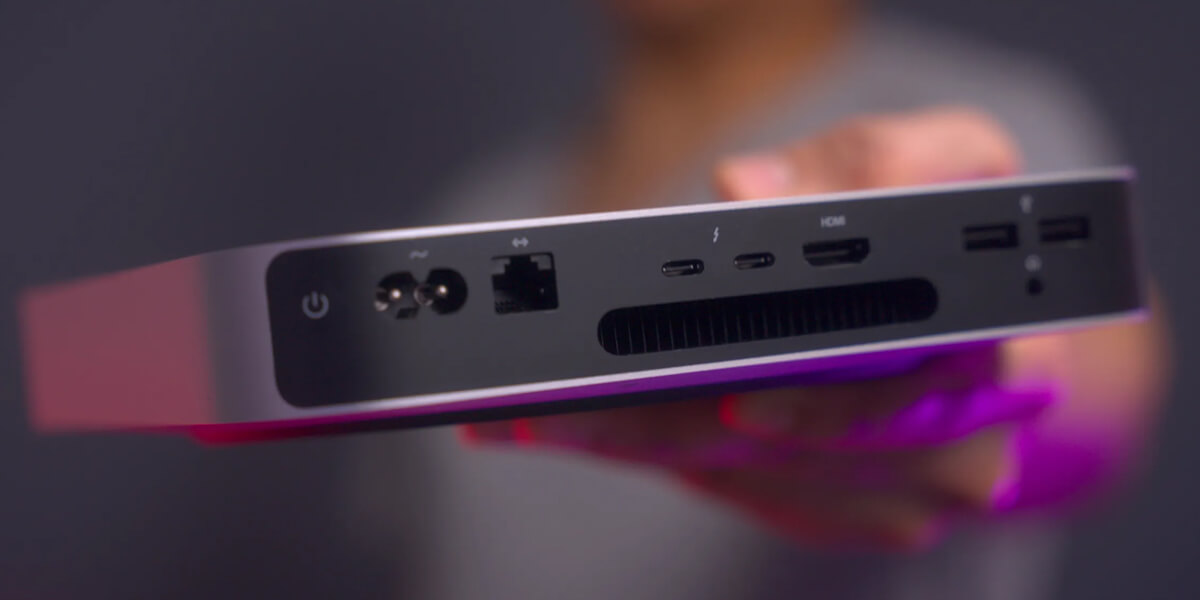

When most startups think about scaling infrastructure, they imagine spinning up AWS cloud instances. At WorkHub.so, we took a slightly different approach: we shoved an M1 Mac Mini into an HVAC closet and called it our “data center.” Turns out, this little machine punches well above its weight. Here’s the tech stack that powers our platform that’s been able to serve tens of thousands of users from Austin to Tokyo — all on an ARM-powered Mac Mini with 8GB of RAM.
* The actual server that just served you this article
The Origin Story
It all started with a used M1 Mac Mini we snagged off Facebook Marketplace. Instead of burning cash on cloud services, we decided to see if this tiny powerhouse could handle production traffic. Spoiler alert: it can.
The app went viral on Reddit a few days post-launch, and in the span of 48 hours served tens of thousands of sessions globally — peaking at 50% CPU utilization while sipping just over 5 watts of power. As for the HVAC closet? The air conditioning worked great the whole time.
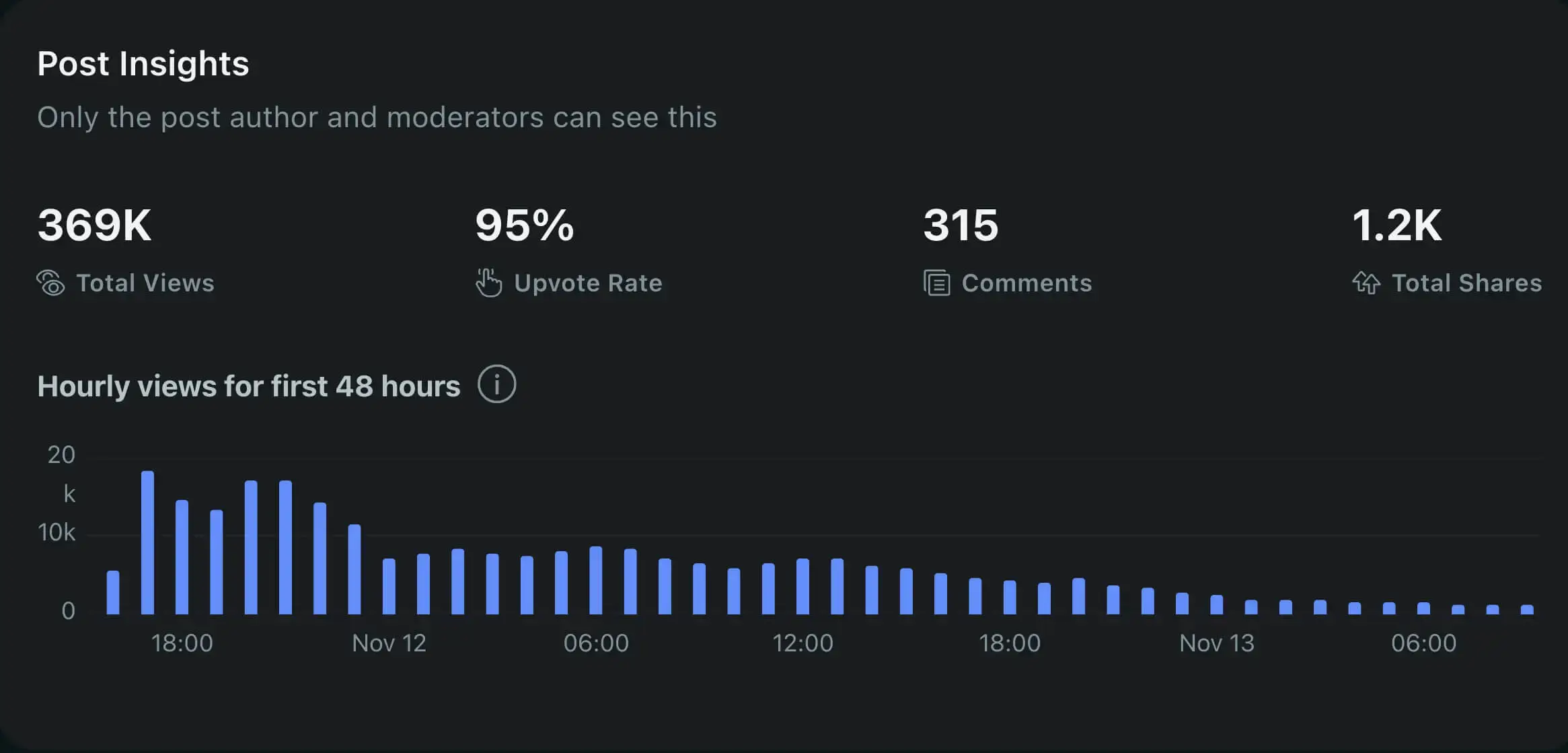
* Stats from Reddit
Core Architecture
Our architecture is built around ARM64 containerized Docker services, with Cloudflare handling DNS and CDN distribution. Instead of exposing network ports directly via dynamic DNS, we secure public access through a Cloudflare Zero Trust Tunnel, which connects the self-hosted M1 Mac Mini server to the internet safely and efficiently. Here’s the breakdown:
- Frontend: React and Remix for server-side rendering (SSR), styled with Tailwind CSS.
- Backend: Node.js with Hono for API logic.
- Database: PostGIS (custom ARM build) for blazing-fast geographic queries.
- Caching: Redis handles typeahead and query caching, reducing expensive queries from around 200ms to 2ms.
All services run in Docker containers on the Mac Mini, locally networked together for efficient communication.
* High Level System Design
Frontend & Backend Integration
Our frontend, built with React and Remix, uses server-side rendering (SSR) to ensure fast performance. Non-dynamic content, like this article, is precompiled into static HTML with Astro and served from the Remix public folder. The backend, powered by Node.js and Express, efficiently handles data requests by communicating with the frontend SSR through the Docker network locally, which reduces service communication latency to nanoseconds during the SSR lifecycle.
Why Remix?
We chose Remix for several compelling reasons:
- Its intuitive mental model and straightforward learning curve made it easier for our team to understand and implement compared to alternatives like Next.js.
- The nested routing system feels natural and matches how we think about UI composition, with each route handling its own data and UI concerns.
- Remix’s parallel data loading and mutation strategies are particularly powerful, allowing components to load and update data independently without complex state management.
- The framework encourages patterns that naturally lead to better performance through intelligent data loading and automatic response caching.
- SSR just works. It was very easy to get started and the performance has been great.
Most importantly, it just “clicked” with our team’s thinking process - we found ourselves being more productive and writing cleaner, more maintainable code faster than with other frameworks we’ve tried.
Lower Level Tech Stack Explained
For a deeper dive into the frontend and backend tech stack of WorkHub.so, including the dev environment setup, check out the Lower Level Tech Stack Explained article.
Global Distribution with Cloudflare
Cloudflare’s CDN ensures users worldwide experience low-latency access of static assets (like images), reduces the load on the M1 for asset delivery tasks, and reduces outbound bandwidth by 75%. This worked particularly well when the site was under heavy load. While Cloudflare worked well for delivering static content, initial server responses and subsequent data requests are still served directly by the M1 Mini. We were surprised to hear from users across the globe that the application was fast, even though it was hosted from a single machine in Austin, TX with no edge compute.
Cloudflares free tier CDN along with a Zero Trust Tunnel (also free) helped reduce server load, outbound bandwidth, and keeps our single-point-of-failure (the Mac Mini) more safe from malicious activity.
Monitoring & CI/CD Pipeline
Monitoring Stack
We use Grafana, CAdvisor, Prometheus, and Loki to keep tabs on performance and system health. This entire stack is self-hosted, free, and running on the M1 Mac Mini server:
- Grafana is the main visualization layer, providing dashboards for application data, like newly added listings and reviews, logs, system health, resource utilization, and more.
- CAdvisor provides detailed resource utilization metrics for each Docker container running on the server.
- Prometheus is used to collect metrics from the system and containers.
- Loki is used to process logs from the frontend SSR and backend services.
- Promtail is used to collect logs from the system and containers, and push them to Loki.
Here’s a few examples of Dashboards and widgets we’ve built:
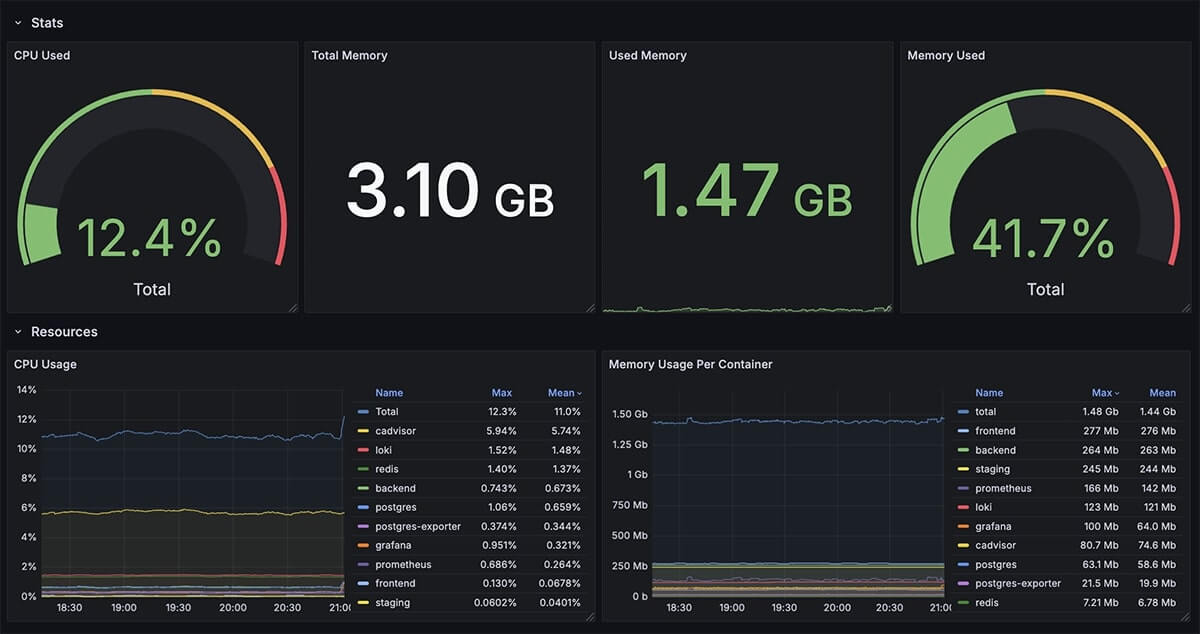

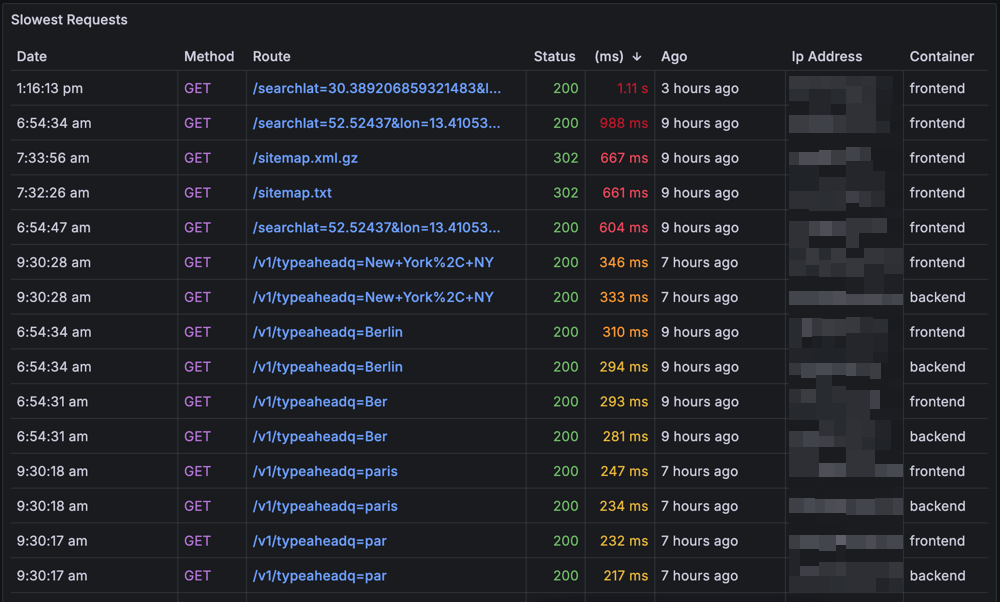
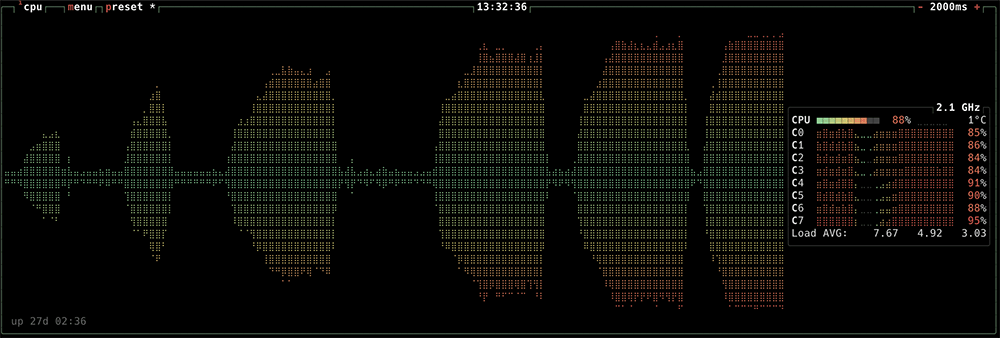
If you like what you see, here’s a guide on how we set up our free monitoring stack above you should be able to stand up a stack in about 10 minutes, but it will take several hours to tune a few dashboards to your liking.
CI/CD Workflow
We use GitHub Actions to automate Docker builds and deployments, making changes live in about five minutes from the time code is merged:
- PR Merge triggers Docker builds (optimized to only build a modified service).
- Post build, container images are pushed to GitHub Container Registry
- Database backups are triggered in preparation for a deployment.
- Script is ran from the M1 Mini to pull the latest images and deploy the new containers.
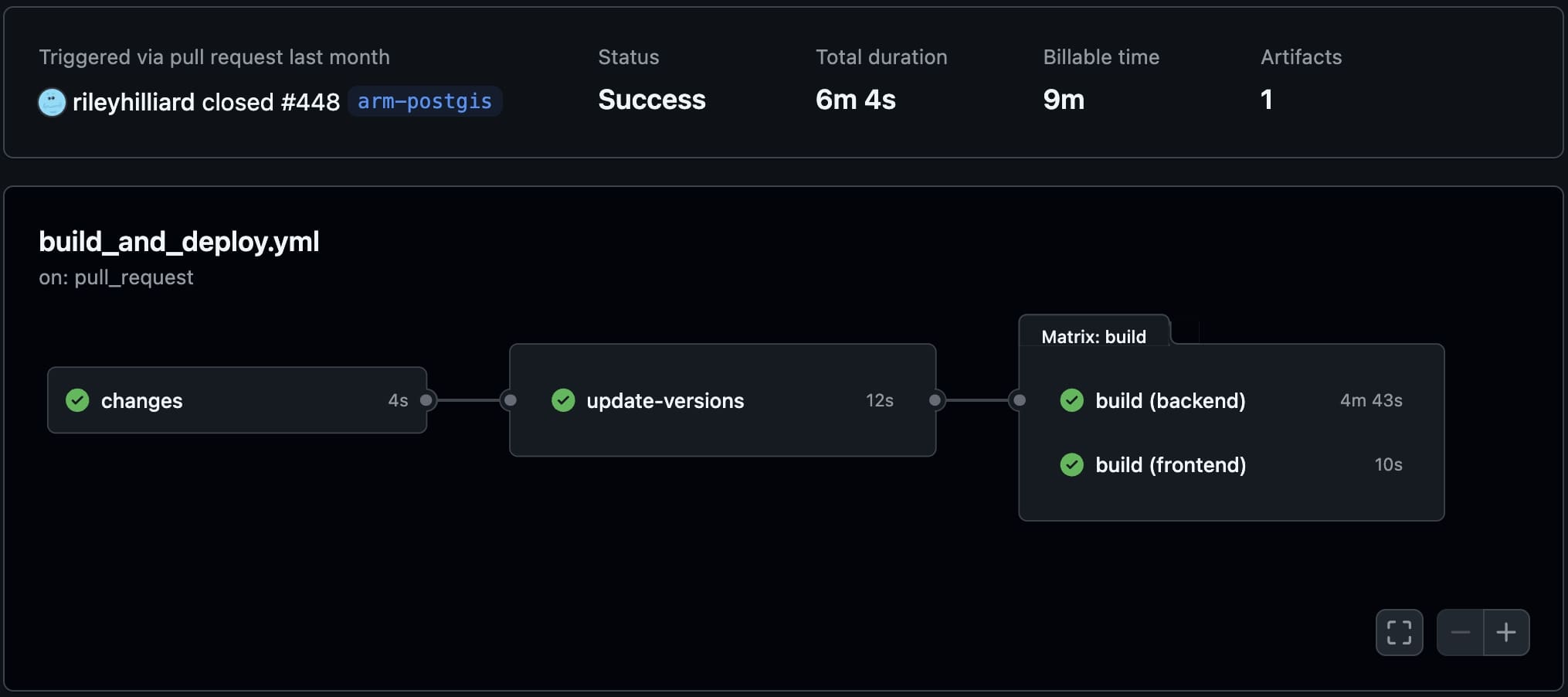
We’ve posted a code recipe for this Github Action here.
MacOS and Docker: Overcoming Challenges
Running Docker on MacOS led to significant issues, particularly with Docker Desktop, which has an issue where disk space couldn’t be reclaimed. This would quickly fill up the Mac’s storage, forcing us to delete the docker.raw file and reset everything. To solve this, we switched to Colima as our Docker engine. Colima avoids the disk space issue and runs headless, reducing RAM usage when compared to Docker Desktop. However, this means the developer experience is more manual and requires more command-line interaction. Despite this, Colima’s efficiency aligns well with our setup on the M1 Mac Mini, allowing us to optimize performance without unnecessary resource drain.
ARM Optimization Challenges
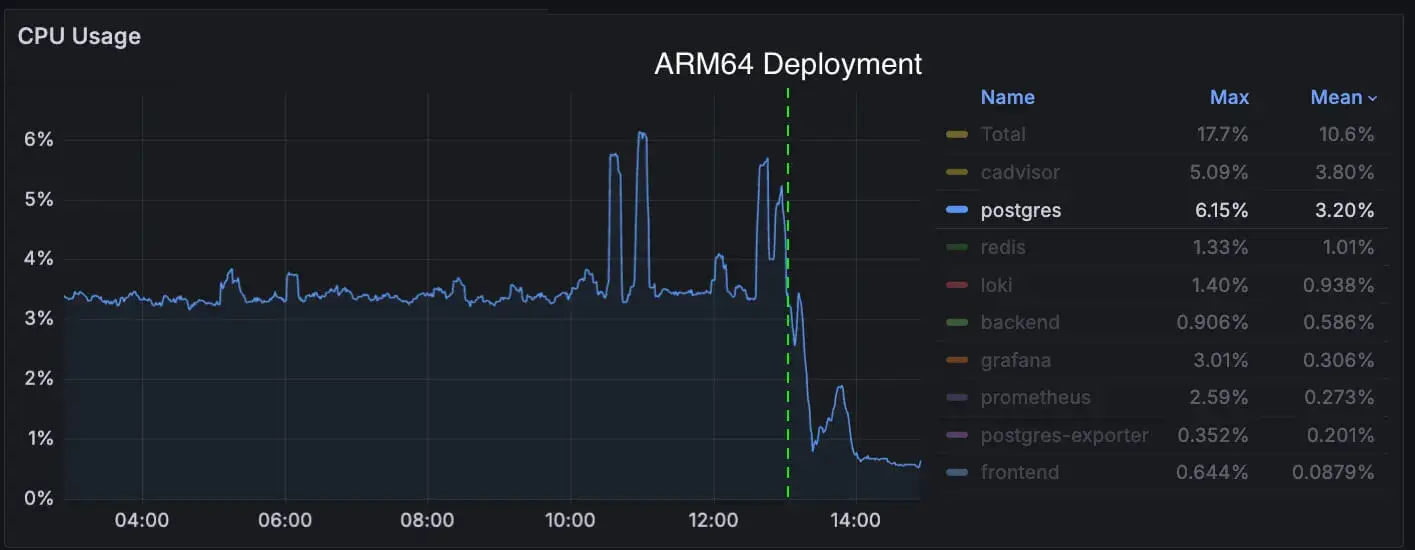
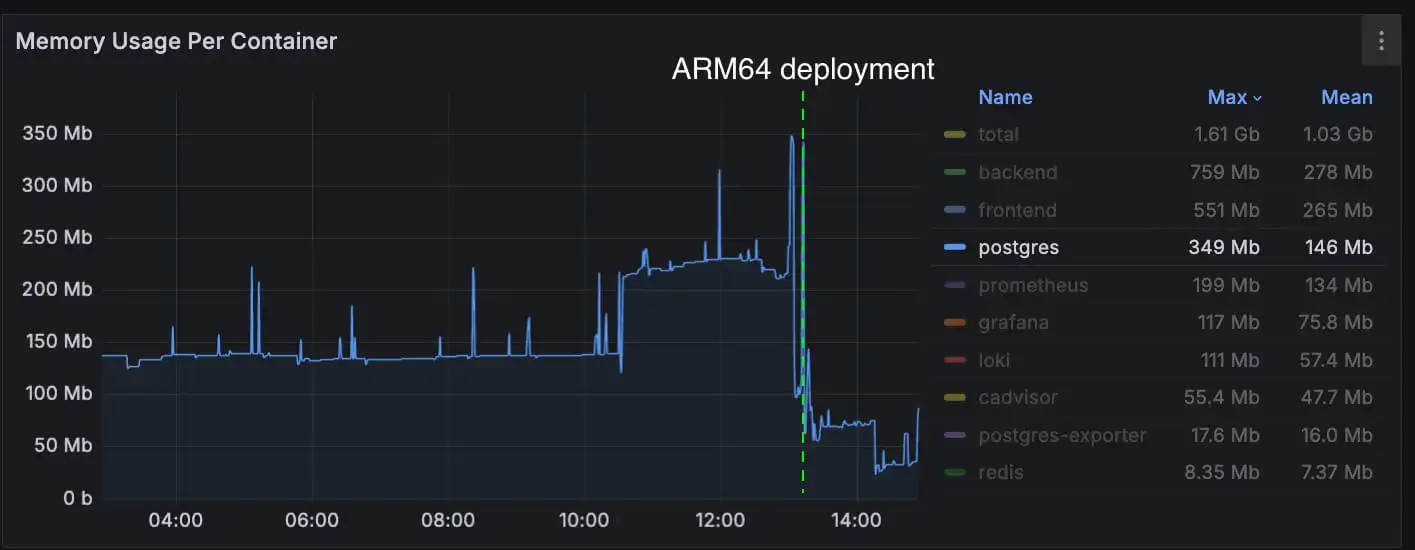
Running PostGIS on ARM was… an adventure. The postgis/postgis docker image does not currently support ARM, and when serving the large spike in traffic our PostGIS container was running the X86 image. This proved to be the biggest performance bottleneck and accounted for the largest CPU consumption by far. Since then we shipped a custom ARM build of PostGIS. Before optimization:
- • PostGIS consumed over 3% CPU when idling.
- • Heavy traffic quickly pushed it to 50% CPU utilization.
Post-optimization? Idle CPU consumption dropped 80% and significantly improved utilization over heavy loads. Memory pressure also reduced by over 75%. The entire stack now runs on ARM architecture, from Colima (Docker) to PostGIS. The result? Hyper-performant geographic queries without melting the HVAC closet.
You can find our PostGIS ARM64 Dockerfile here.
Final Thoughts
Would I recommend running your startup on a used Mac Mini? Probably not if you’re working on anything serious. But if you’re bootstrapping and need a scrappy solution to validate your idea? Absolutely.
For now, our little HVAC closet data center keeps humming along—serving users from San Francisco to Berlin one request at a time. And honestly? It feels pretty great knowing WorkHub.so only costs about $2 a month to run.